What Is Cloud Computing? How It Works, Types, and Whether You Need It in 2026
- Primary Signal: What Is Cloud Computing? How It Works, Types, and Whether You Need It in 2026
- Overview: Every photo you back up, every email you send and every film you stream runs on someone else's computers. This plain-English guide explains what cloud computing actually is, how it...
- Verification: Analyzed and compiled by CyberTech 568 editorial monitoring desk.
Every photo you back up, every email you send, every film you stream and every document you share runs on computers you will never see. That is cloud computing, and by 2026 it has become so ordinary that most people use it dozens of times a day without ever thinking about it. Yet ask what the cloud actually is and the answers get vague fast — a place in the sky, a folder on the internet, a service you pay for monthly. The truth is practical and worth understanding: the cloud is simply someone else's computers, rented over the internet, so you can use storage, software and processing power without owning or maintaining any of it yourself. This guide explains what that means in plain English — how cloud computing works, the three service models, the four ways it is deployed, what it costs, where it goes wrong, and how you can start using it well in 2026, whether you are a student, a small business owner, or just curious about the technology behind your phone.
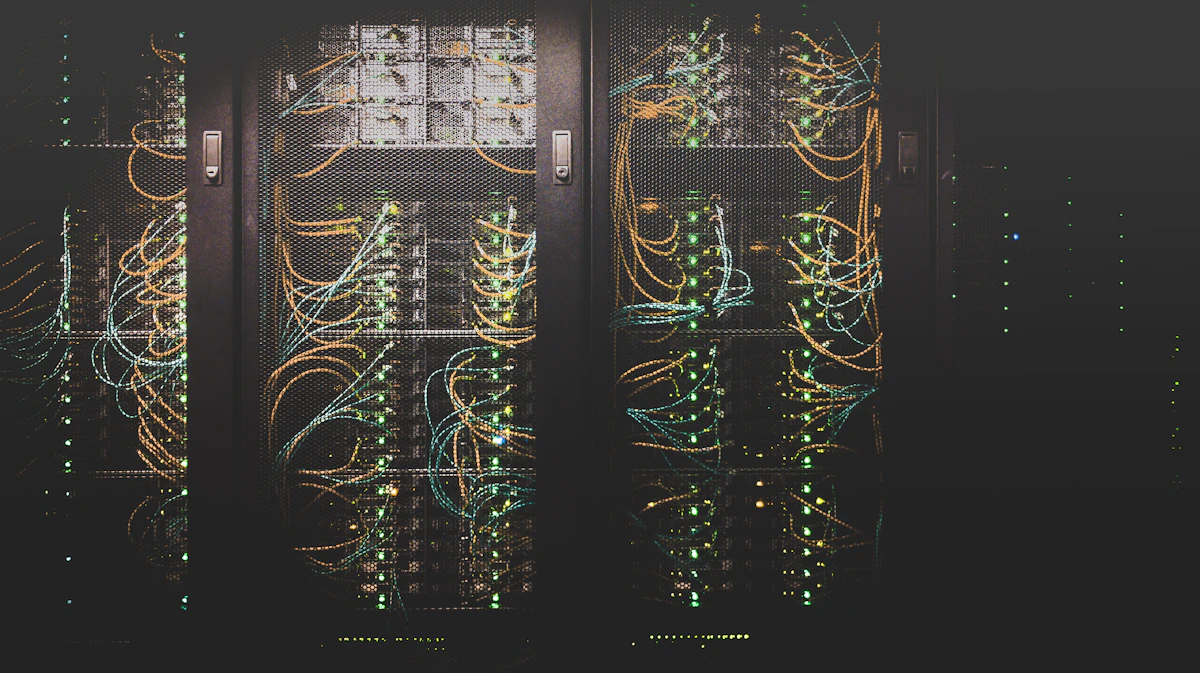
One misconception to clear up first: there is no magic. The cloud is not a place in the sky and it is not infinite. It is a very large number of ordinary computers — servers — stacked in warehouse-sized buildings called data centres, connected by fast networks, and managed by companies like Amazon, Microsoft and Google. When you save a photo to Google Photos or open a document in Microsoft 365, your request travels over the internet to one of those buildings, a server there does the work, and the result comes back to your screen. The clever part is not the hardware. It is the system built on top of it that lets millions of people share the same machines safely, pay only for what they use, and get more capacity in minutes instead of months.
The most widely used definition comes from the US National Institute of Standards and Technology, NIST Special Publication 800-145. It describes cloud computing as on-demand access to a shared pool of configurable computing resources — servers, storage, applications and services — that can be provisioned and released quickly with minimal effort. The everyday translation is simpler: instead of buying and maintaining your own computers, you rent computing power over the internet like a utility. You switch it on, use what you need, and stop paying for the parts you no longer need. The easiest comparison is electricity. A century ago, a factory that wanted power had to build its own generator and hire engineers to run it. Today nobody does that — you plug into the grid and pay for the electricity you use. Cloud computing did the same thing for computing. A small business that once needed a server room, an IT administrator and expensive hardware can now rent the same capability from a provider, and a student can store a lifetime of notes for free. The shift matters because it changed who can build things: the cost of starting dropped from buying hardware to opening an account.
Under the hood, cloud computing rests on three building blocks. The first is the data centre itself: a huge, secure building filled with thousands of servers, storage drives and networking equipment, with backup power, cooling systems and physical security. Providers run dozens or hundreds of these buildings around the world, grouped into regions — geographic areas like US East, Europe West or Asia Pacific — and each region is split into availability zones, which are separate data centres close together so that if one fails, another can take over. The second building block is virtualisation. Special software slices one powerful physical server into many isolated virtual machines, each behaving like a separate computer with its own operating system. That is how one machine can safely serve many customers at once, and how you can rent exactly the size of computer you need — a tiny one for a personal website, a huge one for analysing data — instead of buying a whole machine. The third building block is the network and the software layer on top of it: APIs and dashboards that let you create a server, a database or a storage bucket with a click or a single command, and metering systems that record exactly how much you used so you can be billed by the second, the gigabyte, or the request. When you open a cloud app, your device sends a request over the internet, the provider's systems route it to the right server in the right region, the work happens there, and the result comes back — usually in a fraction of a second.
Not every service on the internet is cloud computing. NIST lists five essential characteristics that separate the real thing from ordinary web hosting. First, on-demand self-service: you can provision capacity yourself, without a person at the provider approving each request. Need a server? A command or a button creates one in about a minute, and deleting it is just as fast. Second, broad network access: you reach the service over the internet from any device — laptop, phone, tablet or another server — using standard protocols like HTTPS. Third, resource pooling: the provider's hardware serves many customers at once, and your share is assigned and reassigned dynamically. You choose a region, not a specific machine. Fourth, rapid elasticity: capacity can grow and shrink quickly, sometimes automatically. A shop can go from four servers to forty during a sale and back to four afterwards, paying only for the busy hours. Fifth, measured service: usage is metered, reported and billed, so you pay per second of computing, per gigabyte-month of storage, or per request. If a service lacks these — if you have to email someone to get more capacity, or you pay a flat fee regardless of use — it may be a useful product, but it is not really cloud computing.
Cloud services are usually grouped into three models, based on how much the provider manages for you versus how much you manage yourself. The simplest way to remember them is: IaaS is building blocks, PaaS is a workshop, SaaS is the finished product. Infrastructure as a Service (IaaS) gives you raw computing resources — virtual servers, storage and networking — and you manage everything above them: the operating system, the applications and the data. Amazon EC2, Microsoft Azure Virtual Machines and Google Compute Engine are the classic examples. IaaS gives you maximum control and is the right choice when you need a custom setup, but it also gives you maximum responsibility. Platform as a Service (PaaS) adds the platform on top: the provider manages the operating system, the runtime and the underlying infrastructure, and you bring only your code and your data. Google App Engine, Microsoft Azure App Service and Heroku are PaaS products. You deploy your application and the platform handles scaling, patching and the servers — faster to build on, less control over the details. Software as a Service (SaaS) is the finished product: you open it in a browser and get straight to work. Gmail, Google Docs, Microsoft 365, Dropbox, Zoom, Netflix and Slack are all SaaS. You manage nothing technical at all — just your account and your files. Most people use SaaS every day without realising it is cloud computing. There is also a fourth model that has grown fast in recent years: serverless computing, where you upload a small piece of code and the provider runs it only when something triggers it, billing you per execution. AWS Lambda is the best-known example. You never think about servers at all — which is the whole point.
The service model describes what you rent. The deployment model describes where it runs and who shares it. A public cloud is the shared model most people mean when they say 'the cloud': the provider owns the data centres, many customers share the same infrastructure, and you pay for what you use. Amazon Web Services, Microsoft Azure and Google Cloud are public clouds. A private cloud is infrastructure used by one organisation only, either in its own data centre or hosted by a provider — more control and tighter security, but you pay for the whole thing whether you use it or not. A hybrid cloud combines the two: sensitive data stays in the private cloud while ordinary workloads run in the public cloud, with systems that move work between them. A multi-cloud setup uses two or more public clouds at once — for example, running analytics on Google Cloud while keeping the main application on AWS — usually to avoid depending on a single provider or to use the best service from each. For most individuals and small businesses, the public cloud is the right default. Private and hybrid setups are mainly for large organisations with strict legal or security requirements, like banks, hospitals and government departments.
If you think you have never used cloud computing, check your phone. Your email lives in the cloud — Gmail and Outlook store your messages on the provider's servers, which is why you can read the same inbox on any device. Your photos are backed up to Google Photos or iCloud, so a lost phone does not mean lost memories. Your documents in Google Docs or OneDrive are stored online and shared with a link instead of an attachment. The films you stream on Netflix run on Amazon's cloud. The music on Spotify, the video calls on Zoom, the notes in Notion, the files in Dropbox — all SaaS, all cloud. Even the apps on your phone increasingly rely on it: a photo editor that removes a background in one tap is often sending the image to a cloud server, running an AI model there, and sending the result back. The cloud is not a future technology you might adopt one day. It is the infrastructure your daily life already runs on, and understanding it helps you make better decisions about your data, your privacy and your money.
The benefits of cloud computing are real, but they show up in different places for different people. For individuals, the biggest wins are convenience and safety: your files are available on every device, they are backed up automatically, and you can share them with a link instead of emailing copies. For small businesses, the win is cost and speed. There is no server room to buy, no hardware to maintain, and no IT team to hire before you can start. You can launch a website, a shop or an app in an afternoon, and you pay a small monthly amount instead of a large upfront investment. For larger organisations, the win is scale and flexibility: capacity that grows with demand, data centres in many countries so users everywhere get fast access, and access to advanced tools — databases, AI services, analytics — that would cost a fortune to build in-house. There is also a resilience benefit that is easy to overlook: a well-built cloud setup copies your data across multiple data centres, so a fire or a flood in one building does not destroy your work. That level of backup used to be available only to big companies. Now it is the default for a free email account.
The cloud is not free of problems, and an honest guide has to name them. The first is cost creep. Pay-as-you-go sounds cheap, and it is — until a forgotten server runs all month, a backup keeps growing, or a project scales up and nobody watches the bill. Industry research has repeatedly found organisations overspending their cloud budgets; Flexera's 2025 State of the Cloud report found budgets exceeded by 17% on average. The fix is boring but effective: set billing alerts, delete what you no longer use, and review the bill monthly. The second downside is outages. Cloud providers are extremely reliable, but they do go down, and when they do, every service built on them can go down too. In 2026, several major outages reminded the world that the cloud is a single point of failure for millions of businesses at once. The third is vendor lock-in: the deeper you build on one provider's special services, the harder and more expensive it becomes to move somewhere else. The fourth is privacy and control. Your data sits on someone else's computers, in a country you may not have chosen, under laws you did not vote for. For most personal use that is a reasonable trade, but for sensitive work it is worth reading where your data is stored and who can access it. The fifth is the internet itself: no connection, no cloud. If your internet is slow or unreliable, every cloud app feels slow too. None of these are reasons to avoid the cloud. They are reasons to use it deliberately, with backups, budgets and an exit plan.
The old way — buying your own server, installing it in an office or a data centre, and maintaining it yourself — still exists, and for some jobs it is still the right choice. Owning hardware makes sense when your workload is steady and predictable, when you need total control over the machine, or when the data is so sensitive that it must never leave your building. But for most people and most new projects, the cloud wins on the maths. A server you buy costs money whether it is busy or idle, needs someone to patch it, back it up and replace it when it fails, and takes weeks to upgrade. A cloud server costs nothing when it is off, scales in minutes, and is replaced by the provider when the hardware fails. A useful rule of thumb: if your workload is steady, large and predictable, compare the two honestly over three years — sometimes owning is cheaper. If your workload varies, if you are starting something new, or if you do not have an IT team, rent. Most of the internet has already made this choice: the world's biggest sites and the smallest startups both run on rented infrastructure, and the middle ground — your own server in a cupboard — is now the exception, not the rule.
Starting is easier than the jargon suggests, and you do not need to spend anything to learn. Step one: use the free tier. Amazon Web Services, Microsoft Azure and Google Cloud all offer free tiers that let you run a small server, store a few gigabytes and try databases and AI services for a year or more at no cost — sign up with a card for identity verification, set a billing alert at $0, and you will not be charged. Step two: pick one small, real project. Store your files in Google Drive or Dropbox and learn sharing and version history. Build a personal website on a free tier, or move your photo backups to a cloud service with automatic upload. Step three: learn the vocabulary in context. When you create your first virtual server, you will meet the terms from this guide — region, instance, storage bucket, security group — and they will make sense because you are using them. Step four: learn the security basics before you need them. Turn on two-factor authentication on every cloud account, use a password manager, never put secret keys in a public file, and keep a local copy of anything you cannot afford to lose. Step five: if you want a career in it, the path is well marked — a free-tier project, a fundamentals certification like AWS Cloud Practitioner or Microsoft AZ-900, and a small portfolio of things you actually built. Cloud skills are among the most in-demand in technology, and the entry point is a browser and a free account.
A few myths keep circulating, and clearing them up saves confusion. Myth one: the cloud is just someone else's computer. That is true but incomplete — the value is not the computer, it is the automation around it: instant provisioning, automatic scaling, backups and metering that you could never build yourself. Myth two: the cloud is always cheaper. It is cheaper to start and cheaper for variable workloads, but a large, steady workload can cost less on your own hardware — always compare over three years, not three months. Myth three: the cloud is automatically secure. The provider secures the infrastructure, but you are responsible for your own accounts, passwords and settings — most cloud breaches come from misconfigured customer settings, not from the provider being hacked. Myth four: the cloud means your data is not private. Your data is stored on the provider's servers, but it is encrypted, access is logged, and reputable providers cannot read your files — the real question is whether you trust the provider and the laws of the country where the data sits. Myth five: moving to the cloud means you never need backups. The provider protects against hardware failure, but it does not protect against you deleting something, or a hacker deleting it for you — keep your own backups, in a different place, for anything that matters.
Cloud computing is not a mystery and it is not magic. It is the simple idea that computing — servers, storage, software — works better as a rented utility than as something everyone owns and maintains themselves. Data centres full of servers, virtualisation that slices them into rentable pieces, and software that provisions, scales and meters everything on demand: that is the whole machine, and it now runs your email, your photos, your films and a large part of the world's business. The three service models — IaaS, PaaS and SaaS — are just different answers to how much you want to manage yourself, and the four deployment models are different answers to who shares the infrastructure. The benefits are real: no upfront hardware, capacity on demand, automatic backups and access to tools that once belonged only to big companies. The risks are real too: bills that creep up, outages that affect everyone at once, lock-in, and data sitting on someone else's computers. The people who get the most from the cloud are not the ones who know the most jargon. They are the ones who start small — a free-tier account, one real project, billing alerts switched on, two-factor authentication enabled — and build from there. The cloud is already running your digital life. Understanding it means you can choose how it serves you, instead of letting it choose for you.
More from CyberTech 568